GitHub project integration [PREMIUM]
Introduced in GitLab Premium 10.6.
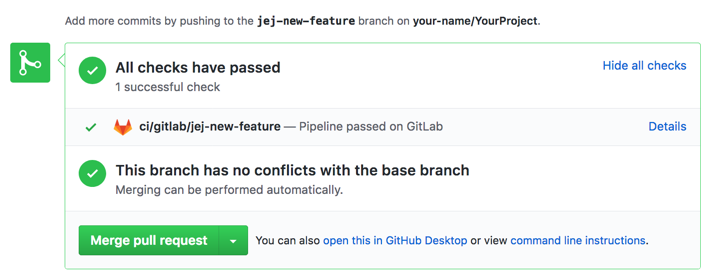
GitLab provides an integration for updating the pipeline statuses on GitHub. This is especially useful if using GitLab for CI/CD only.
This project integration is separate from the instance wide GitHub integration and is automatically configured on GitHub import.
Configuration
Complete these steps on GitHub
This integration requires a GitHub API token
with repo:status access granted:
- Go to your "Personal access tokens" page at https://github.com/settings/tokens
- Click "Generate New Token"
- Ensure that
repo:statusis checked and click "Generate token" - Copy the generated token to use on GitLab
Complete these steps on GitLab
- Navigate to the project you want to configure.
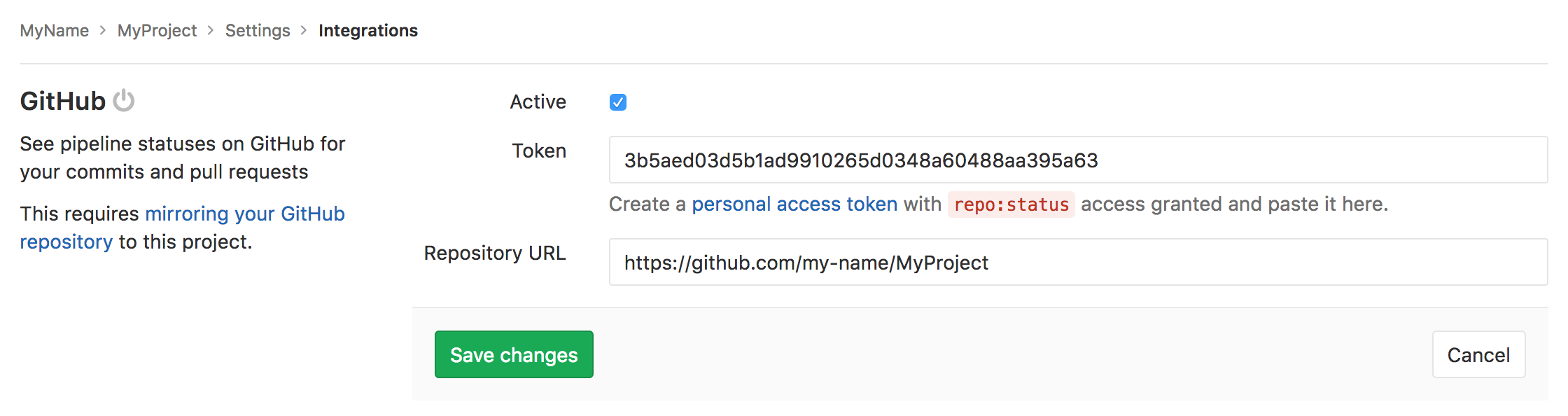
- Navigate to the Integrations page
- Click "GitHub".
- Select the "Active" checkbox.
- Paste the token you've generated on GitHub
- Enter the path to your project on GitHub, such as
https://github.com/username/repository - Save or optionally click "Test Settings".