Roadmap [ULTIMATE]
Introduced in GitLab Ultimate 10.5.
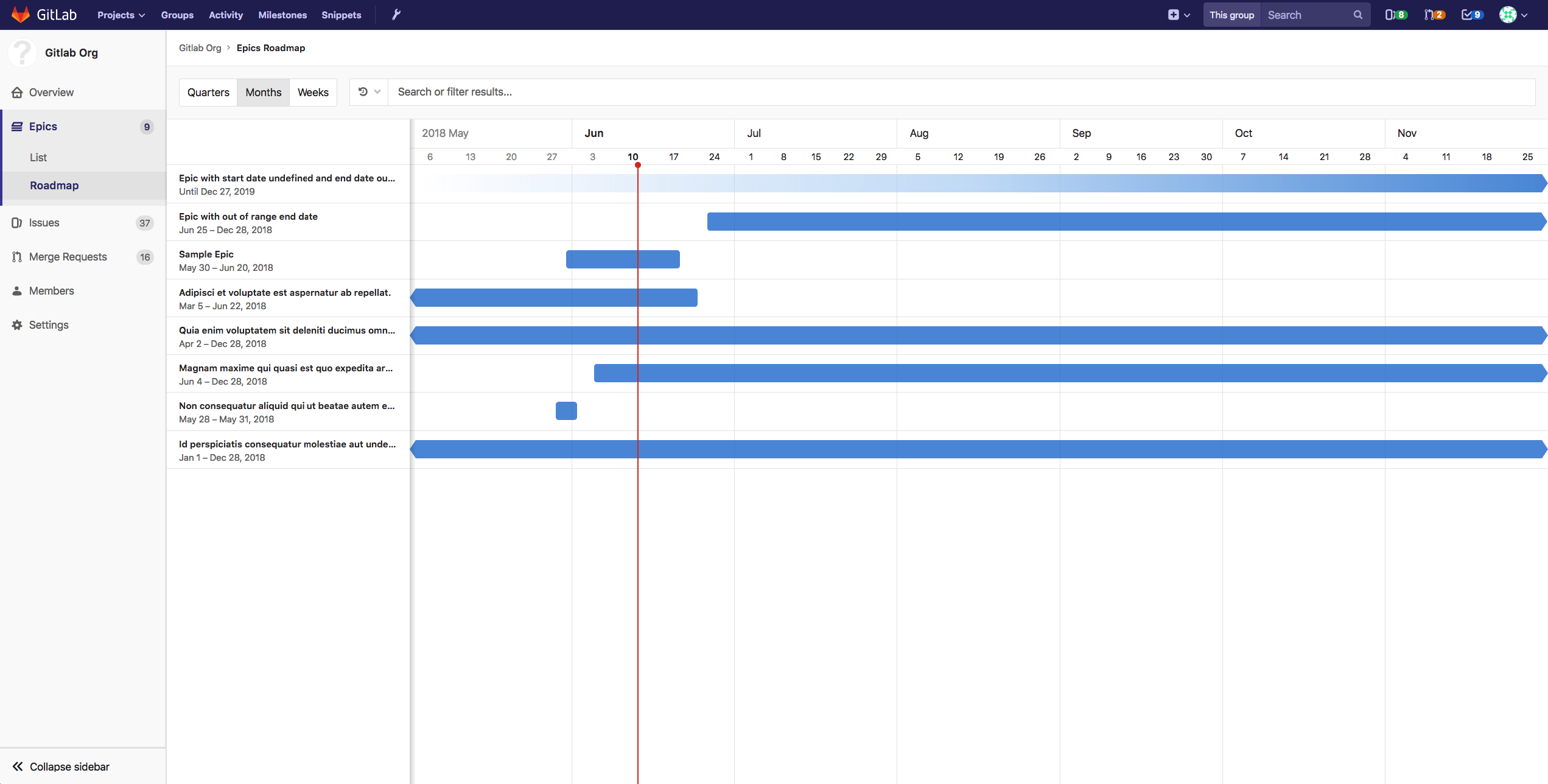
An Epic within a group containing Planned start date and/or Planned finish date can be visualized in a form of a timeline (e.g. a Gantt chart). The Epics Roadmap page shows such a visualization for all the epics which are under a group and/or its subgroups.
Timeline duration
Starting with GitLab Ultimate 11.0, Roadmap supports three different date ranges; Quarters, Months (Default) and Weeks.
Quarters

In Quarters preset, roadmap shows epics which have planned start or finish dates falling within or going through past quarter, current quarter and next 4 quarters, where today is shown by the vertical red line in the timeline. The sub-headers underneath the quarter name on the timeline header represent the month of the quarter.
Months

In Months preset, roadmap shows epics which have planned start or finish dates falling within or going through past month, current month and next 5 months, where today is shown by the vertical red line in the timeline. The sub-headers underneath the month name on the timeline header represent the date on starting day (Sunday) of the week. This preset is selected by default.
Weeks

In Weeks preset, roadmap shows epics which have planned start or finish dates falling within or going through past week, current week and next 4 weeks, where today is shown by the vertical red line in the timeline. The sub-headers underneath the week name on the timeline header represent the days of the week.
Timeline bar for an epic
The timeline bar indicates the approximate position of an epic based on its planned start and finish date. If an epic doesn't have a planned finish date, the timeline bar fades away towards the future. Similarly, if an epic doesn't have a planned start date, the timeline bar becomes more visible as it approaches the epic's planned finish date on the timeline.