Automatic background verification [PREMIUM ONLY]
NOTE: Note: Automatic background verification of repositories and wikis was added in GitLab EE 10.6 but is enabled by default only on Gitlab EE 11.1. You can disable or enable this feature manually by following these instructions.
Automatic backgorund verification ensures that the transferred data matches a calculated checksum, proving that the content on the secondary matches that on the primary. Following a planned failover, any corrupted data may be lost, depending on the extent of the corruption.
If verification fails on the primary, this indicates that Geo is successfully replicating a corrupted object; restore it from backup or remove it it from the primary to resolve the issue.
If verification succeeds on the primary but fails on the secondary, this indicates that the object was corrupted during the replication process. Until issue #5195 is implemented, Geo won't automatically resolve verification failures of this kind, so you should remove the registry entries to force Geo to re-replicate the files:
sudo gitlab-rails runner 'Geo::ProjectRegistry.verification_failed.delete_all'If verification is lagging significantly behind replication, consider giving the node more time before scheduling a planned failover.
Disabling or enabling the automatic background verification
The following commands are to be issues in a Rails console on the primary:
# Omnibus GitLab
gitlab-rails console

# Installation from source
cd /home/git/gitlab
sudo -u git -H bin/rails console RAILS_ENV=production
To check if automatic background verification is enabled:
Feature.enabled?('geo_repository_verification')To disable automatic background verification:
Feature.disable('geo_repository_verification')To enable automatic background verification:
Feature.enable('geo_repository_verification')NOTE: Note:
Until issue #5699 is completed, we need to reset the cache for this
feature flag on each secondary, to do this run
sudo gitlab-rails runner 'Rails.cache.expire('flipper/v1/feature/geo_repository_verification', 0)'.
Repository verification
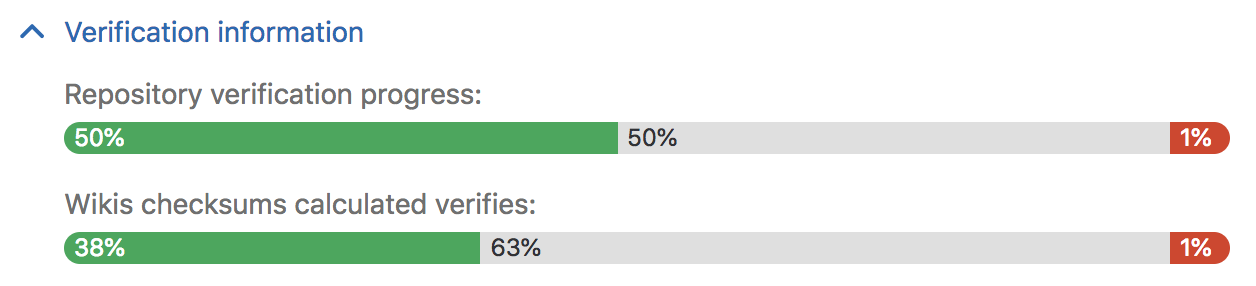
Visit the Admin Area ➔ Geo nodes dashboard on the primary and expand the Verification information tab for that node to view automatic checksumming status for repositories and wikis. Successes are shown in green, pending work in grey, and failures in red.
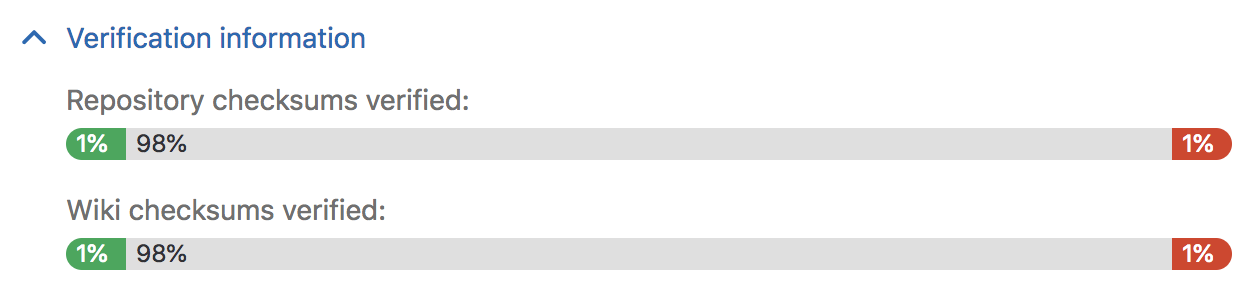
Visit the Admin Area ➔ Geo nodes dashboard on the secondary and expand the Verification information tab for that node to view automatic verifcation status for repositories and wikis. As with checksumming, successes are shown in green, pending work in grey, and failures in red.
Using checksums to compare Geo nodes
To check the health of Geo secondary nodes, we use a checksum over the list of
Git references and theirs values. Right now the checksum only includes heads
and tags. We should include all references (issue #5196), including
GitLab-specific references to ensure true consistency. If two nodes have the
same checksum, then they definitely hold the same data. We compute the checksum
for every node after every update to make sure that they are all in sync.
Current limitations
Until issue #5064 is completed, background verification doesn't cover CI job artifacts and traces, LFS objects, or user uploads in file storage. Verify their integrity manually by following these instructions on both nodes, and comparing the output between them.
Data in object storage is not verified, as the object store is responsible for ensuring the integrity of the data.